Industry
AI & Productivity Tools
What I did
Product Designer
CHeK out what you’ve got lined up!*
What is it? Like Jira?
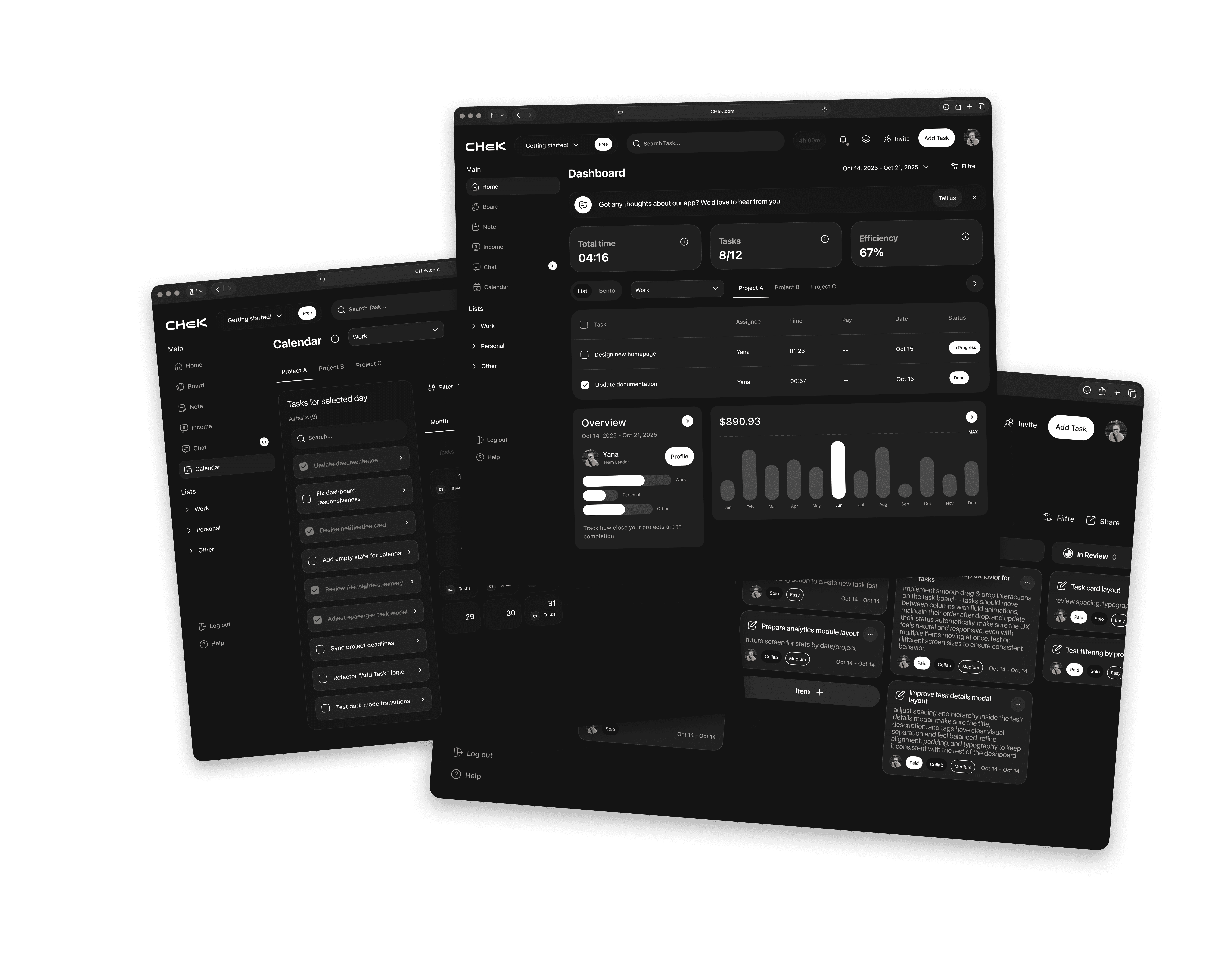
CHeK is a desktop app for personal use — a task-tracking tool for employees and freelancers. You can communicate with your team members and add them to your projects, but it’s NOT a collaboration tool, BECAUSE it’s designed to improve individual discipline. These are supporting actions that don’t take much time, helping you keep the situation under control instead of solving a single task while wasting even more time on managing it.
User Research / Market Study and Technical Specs
The biggest part of the research for this app was done using AI tools. This included competitor analysis through references, technical process details, hypothetical users and their behavior patterns, extracting insights after interviews, AND drawing conclusions.

This allowed me to go further and better understand: - how to make usage scenarios logical - what to consider during creation - which flows should be primary - which existing solutions work — and which do NOT - what the actual problems are and how to solve them
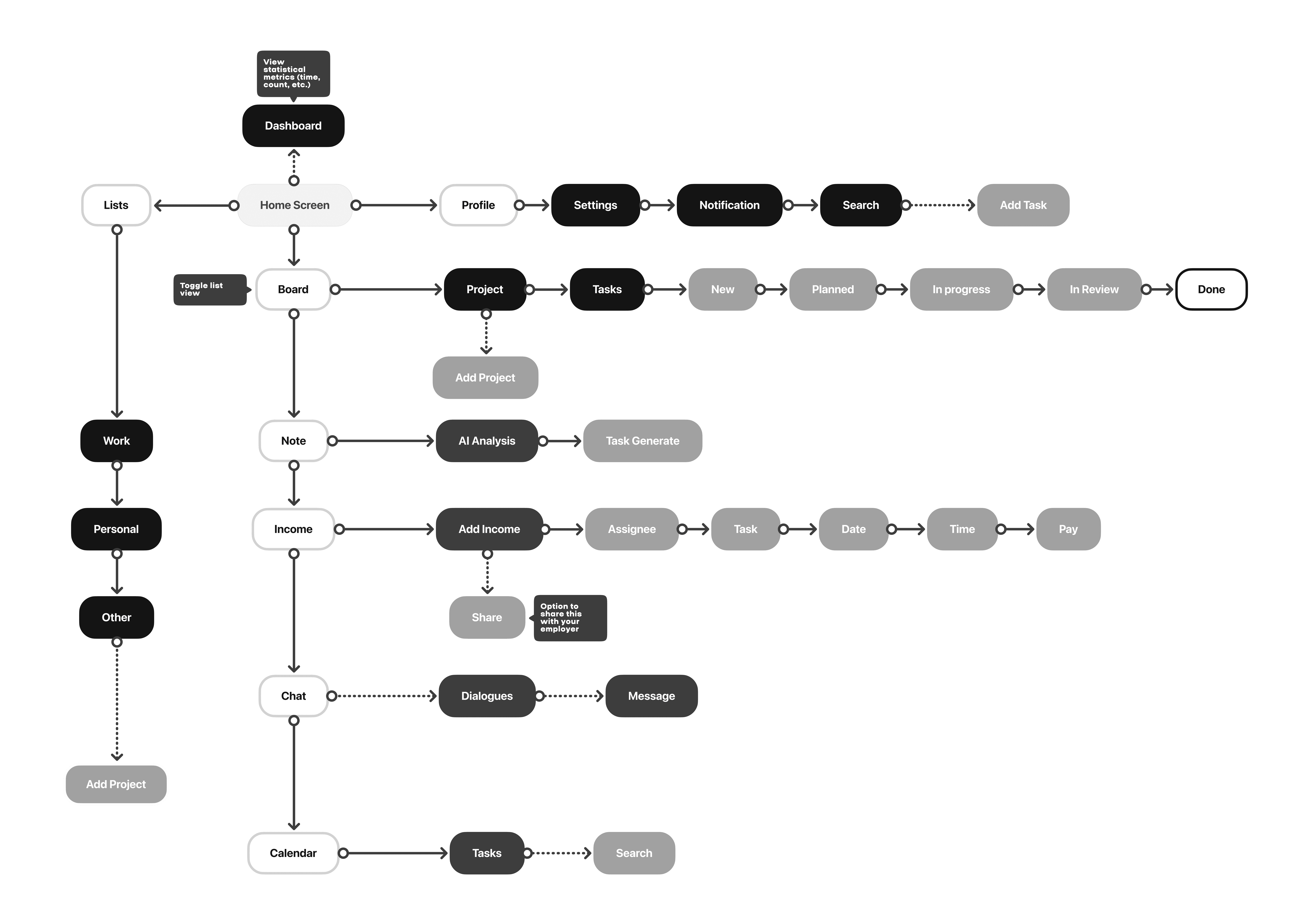
User Flow that the entire interface will be built on
I usually identify the main app flows pretty easily — the research stage helps a lot with that. If needed, this is exactly the point where I can cut things out or, наоборот, go deeper into details. This is the foundation.
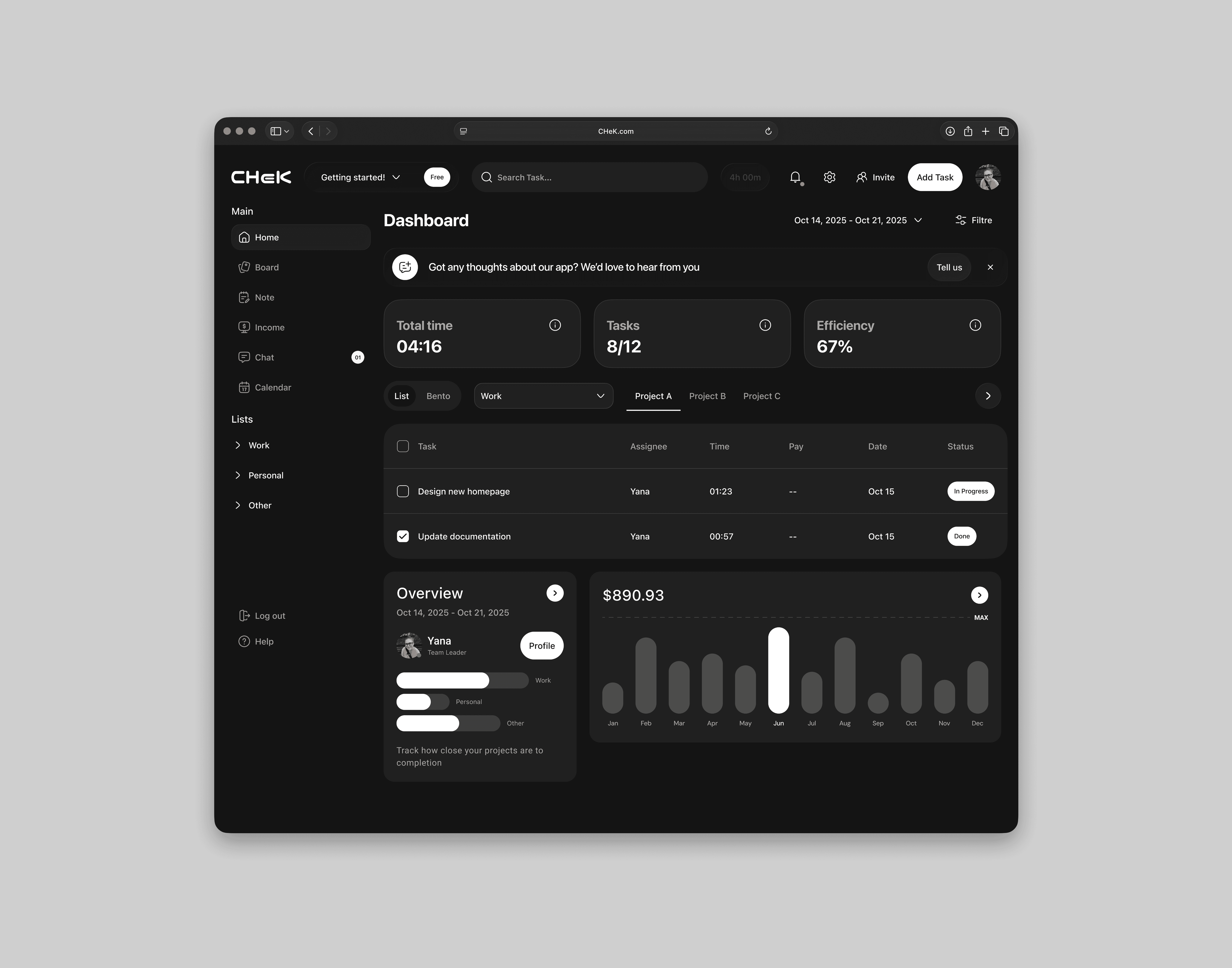
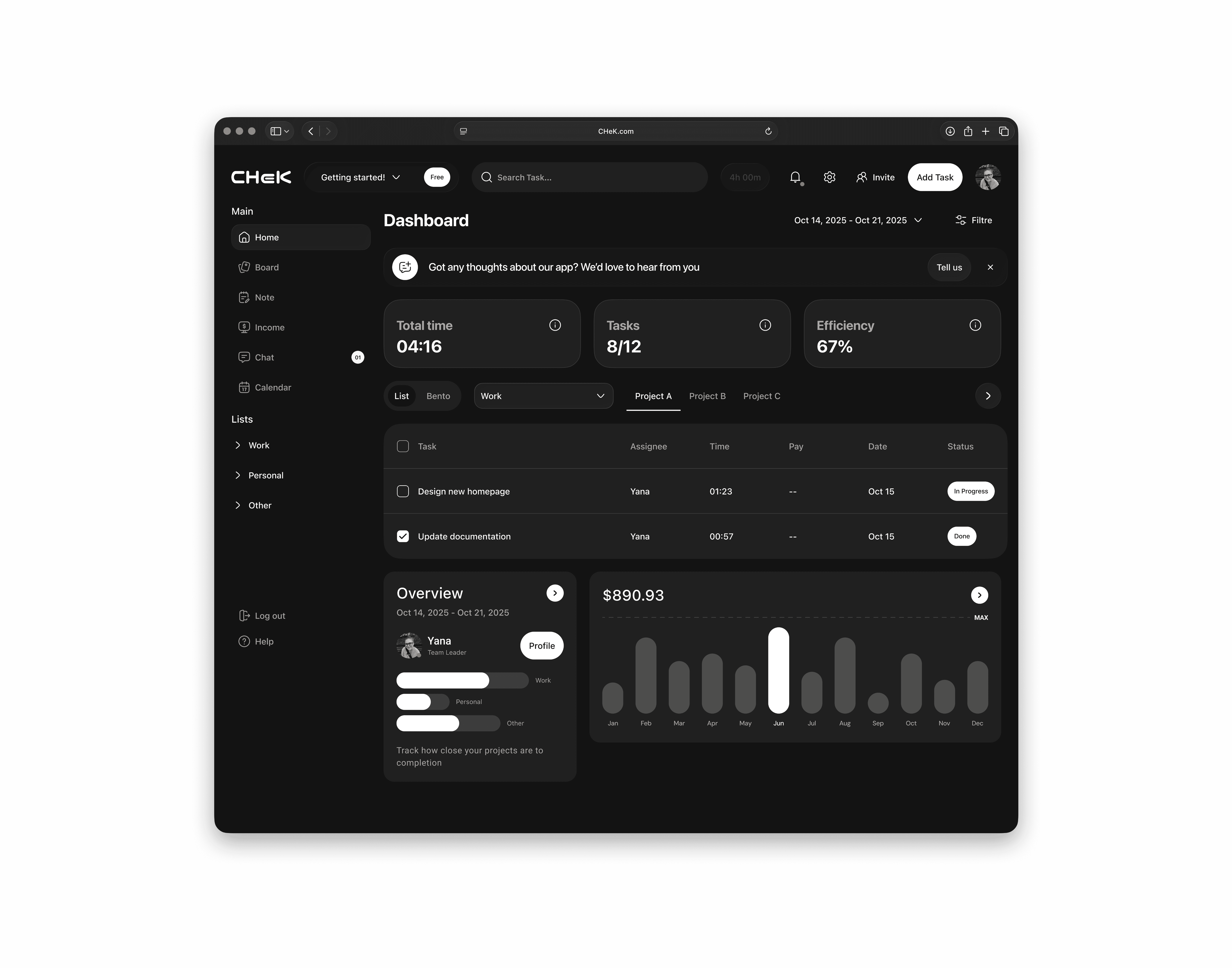
Home Page. Dashboard
From the very beginning, this tool was designed as a paid app with a trial period. So here’s the home page, showcasing almost all of the product’s features — and, importantly, only what the user actually needs. The dashboard brings together all the essential data in one place: creating and completing tasks — hence the button fixed in the header, a timer to track working hours, and blocks you can click to jump into the relevant flows. And the best feature? Tracking how much YOU’ve earned completing your tasks (over different periods).
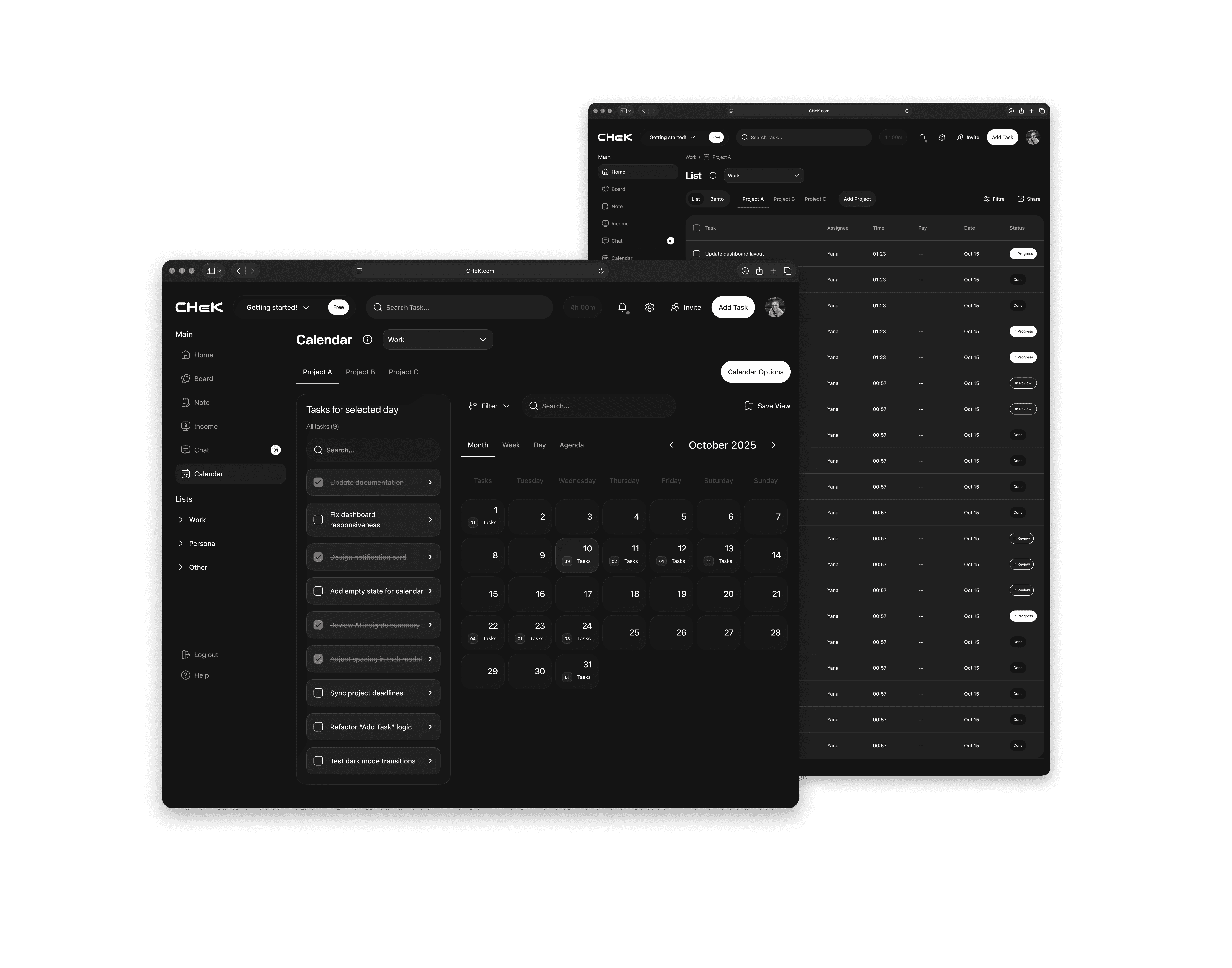
Next Features. How do they help?
Opening your calendar, YOU immediately see how many tasks are planned for any given day. You can click in to check them, mark them as done right there, OR jump to the Lists flow (which, by the way, can be switched to a bento board), where each task has more detailed info and status-changing options.
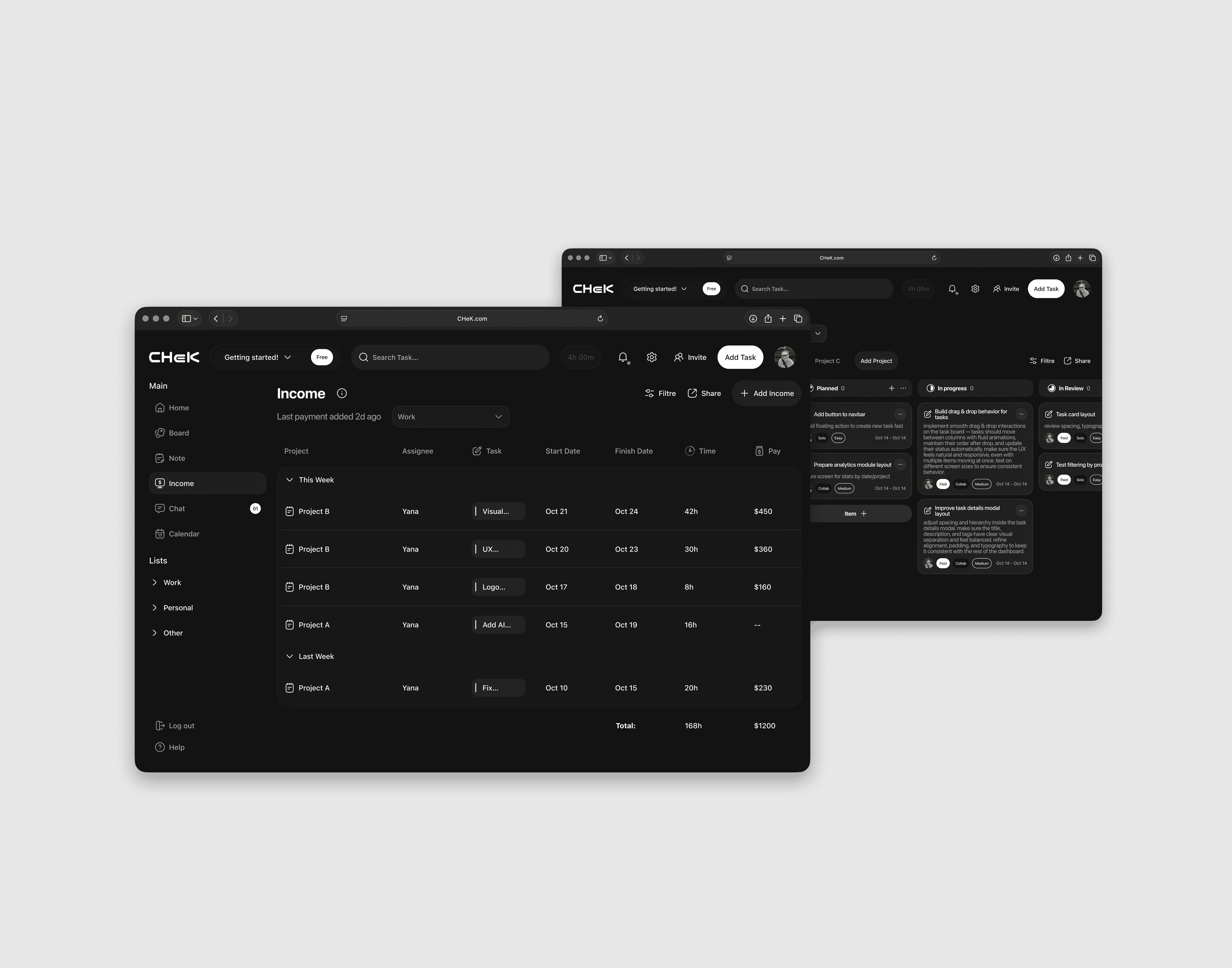
The Features don’t stop here
This flow was missing for me personally as a user of similar software. Even during research, it became clear that tasks are directly tied to earnings. So my job as a designer was to combine these elements and make all the necessary functionality feel naturally integrated (including the media part of the task flow on the board in Bento mode).
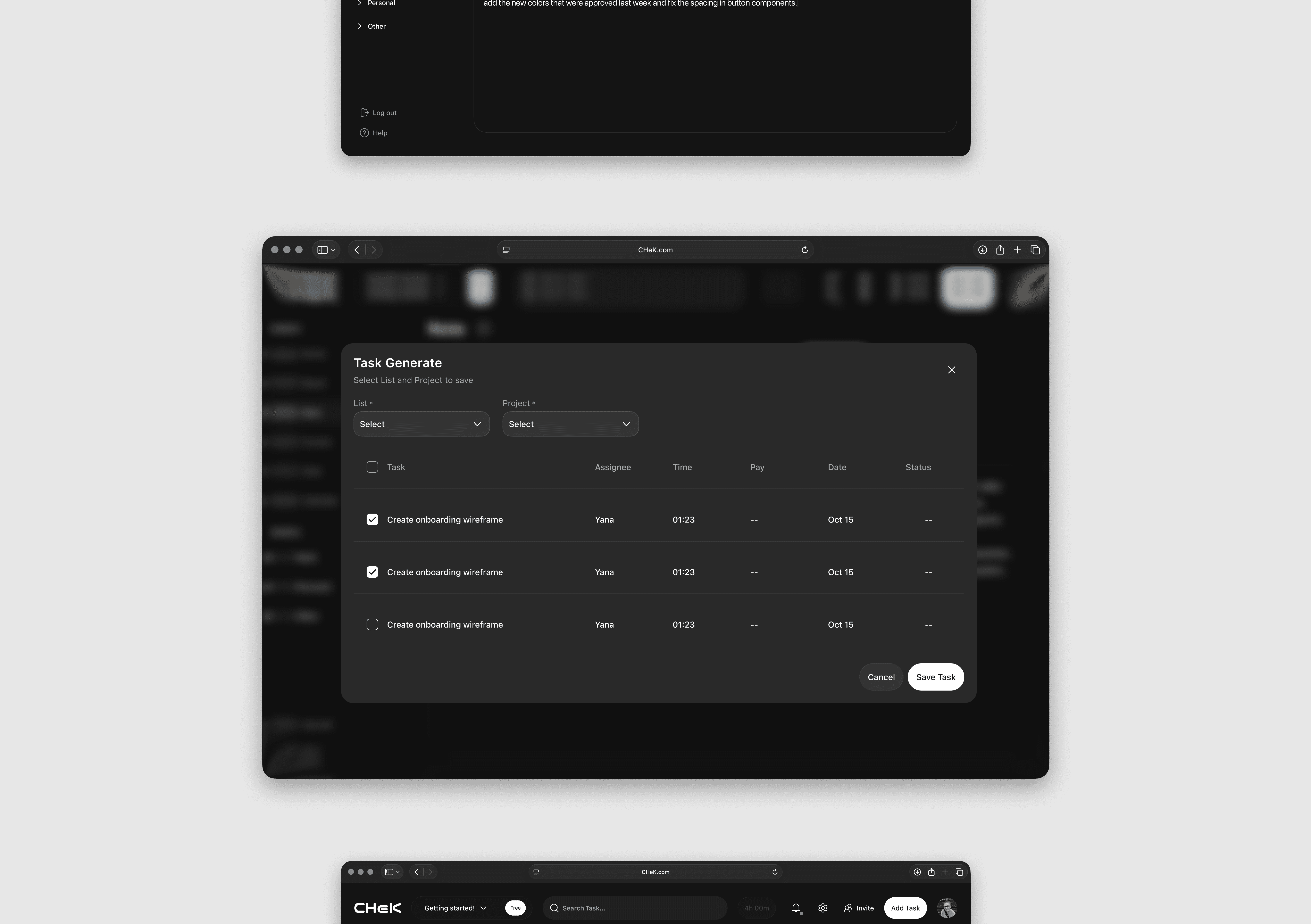
We’re entering a whole new era where AI can be an amazing addition, enhancer, and assistant. Through an iterative process and brainstorming, we decided to create a flow where the user can write out everything they need to do in plain text — and the AI will analyze it and structurally extract tasks that could potentially be added.
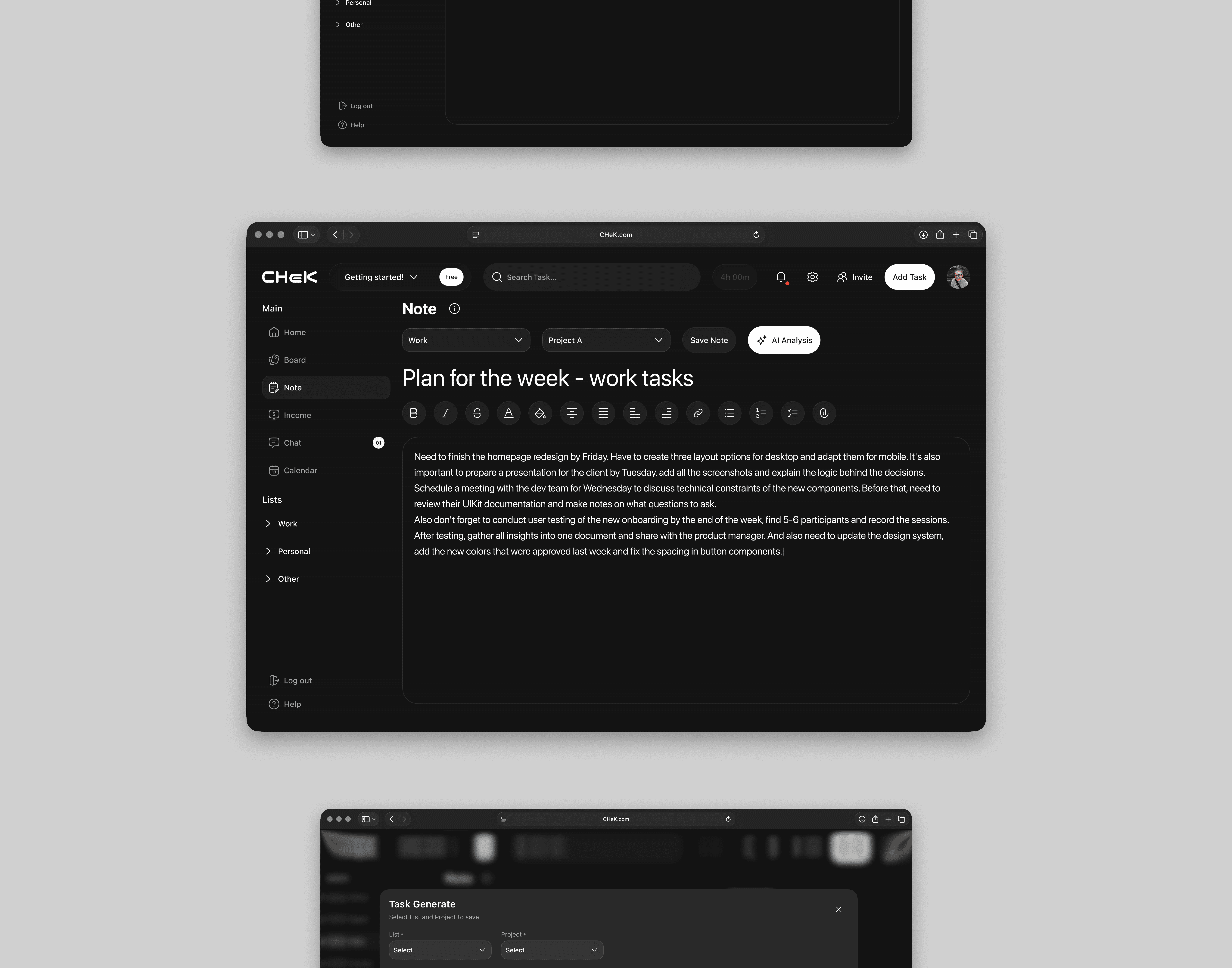
After creating a note, YOU can of course just save it — but why stop there? With AI, you can save a ton of time: it can automatically create tasks for YOU, and then YOU decide what to actually keep and what not. This way, the app sets up the perfect conditions for work, saving time and energy, so you can focus entirely on getting those tasks done.
Basic Functions and Flows
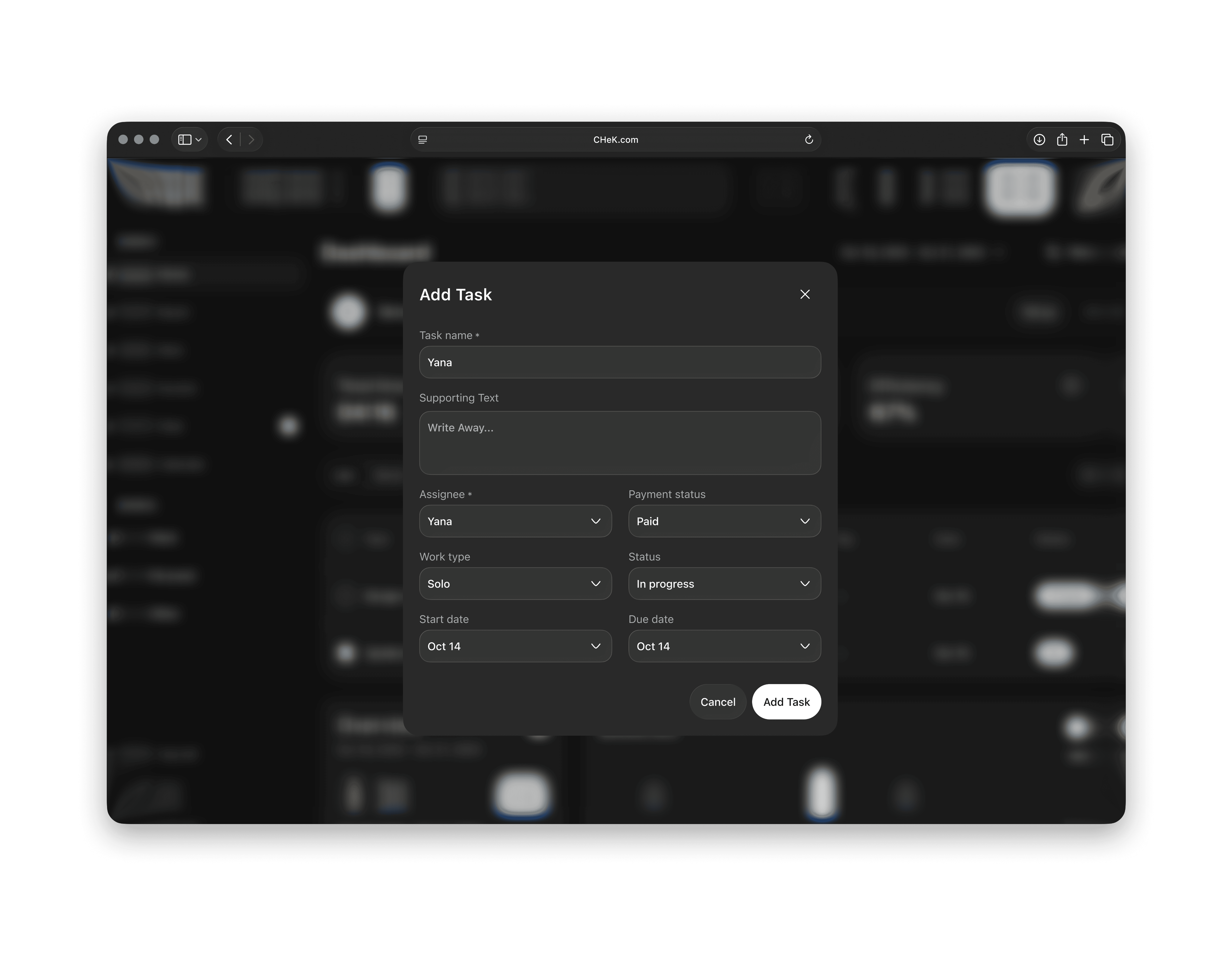
You can add a task for yourself on almost any flow, because this is the core element — without it, YOUR system in this product won’t grow. Once added, a modal window opens with the main inputs to fill in the task details.
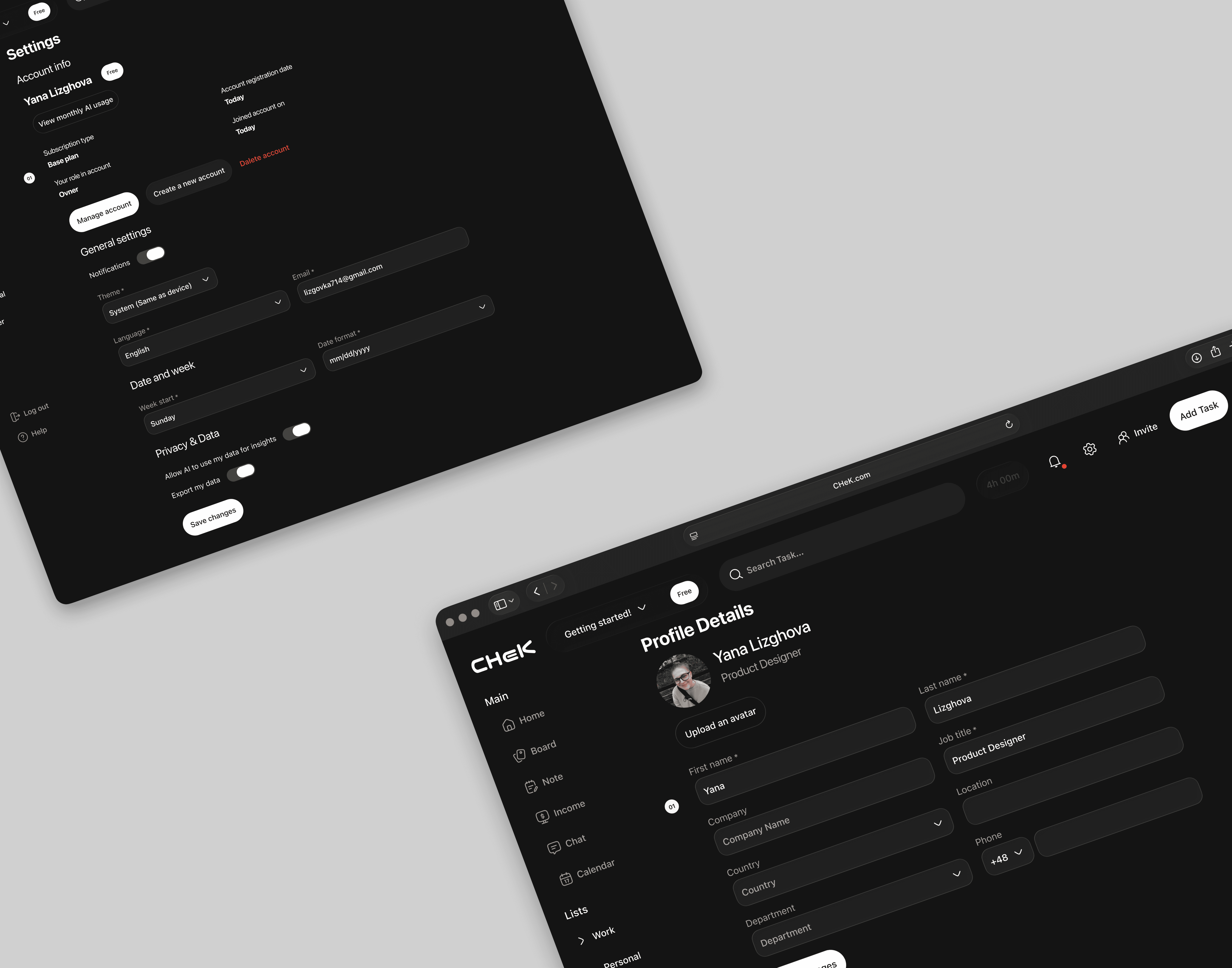
Nothing fancy — just the profile screen. Later on, it goes hand in hand with settings, because, well… it’s the basics. From a design perspective, this screen fully carries over the visual direction and style defined for the core flows.
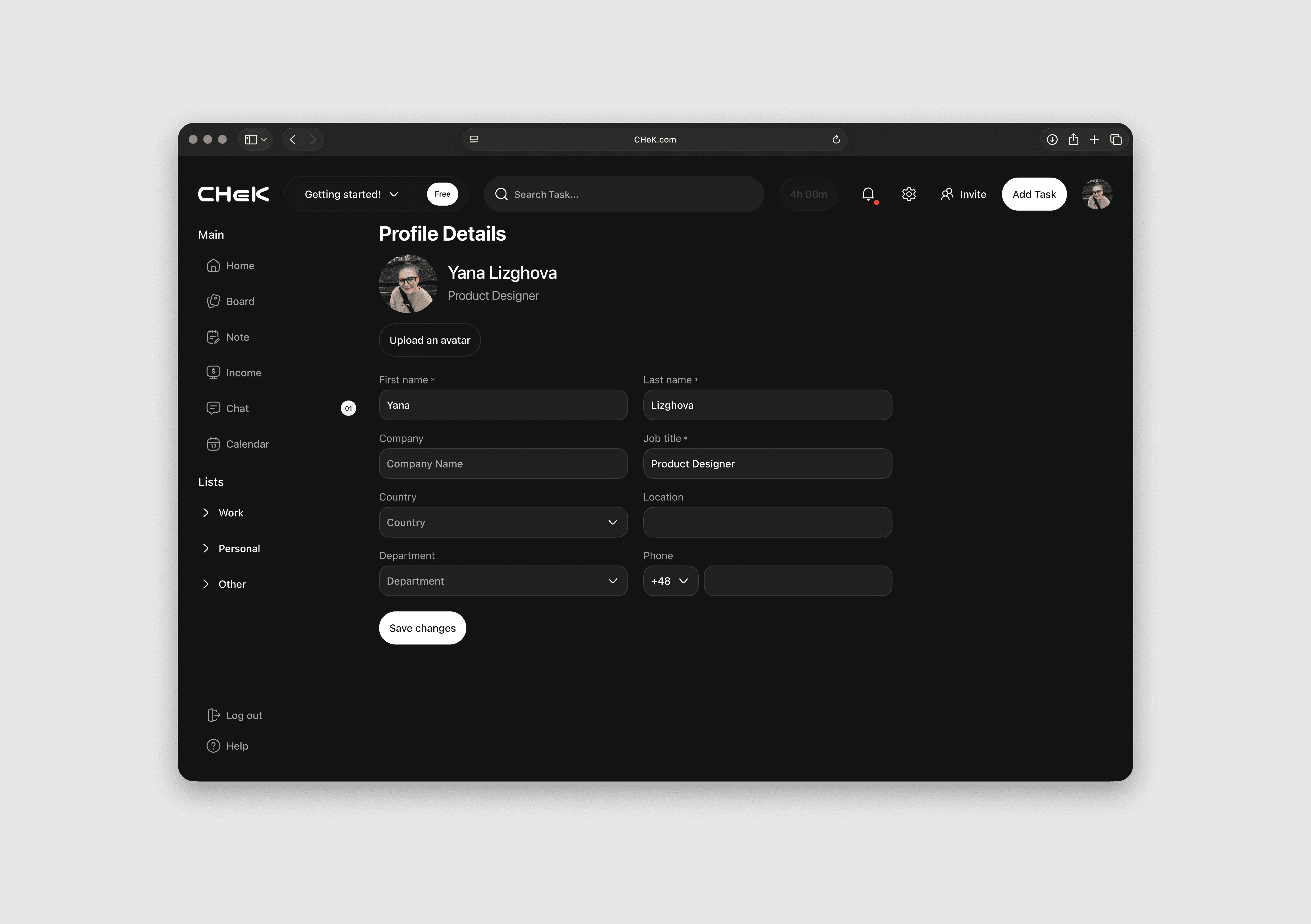
Profile and Settings. Sure — you can’t do without this, and in most apps it looks pretty similar. But HERE, like in every flow, we’ve filtered out elements and metrics that users don’t actually use. Only what’s necessary. This is probably my slogan (haha) — but honestly, no joke, it’s so nothing gets in the way of work.
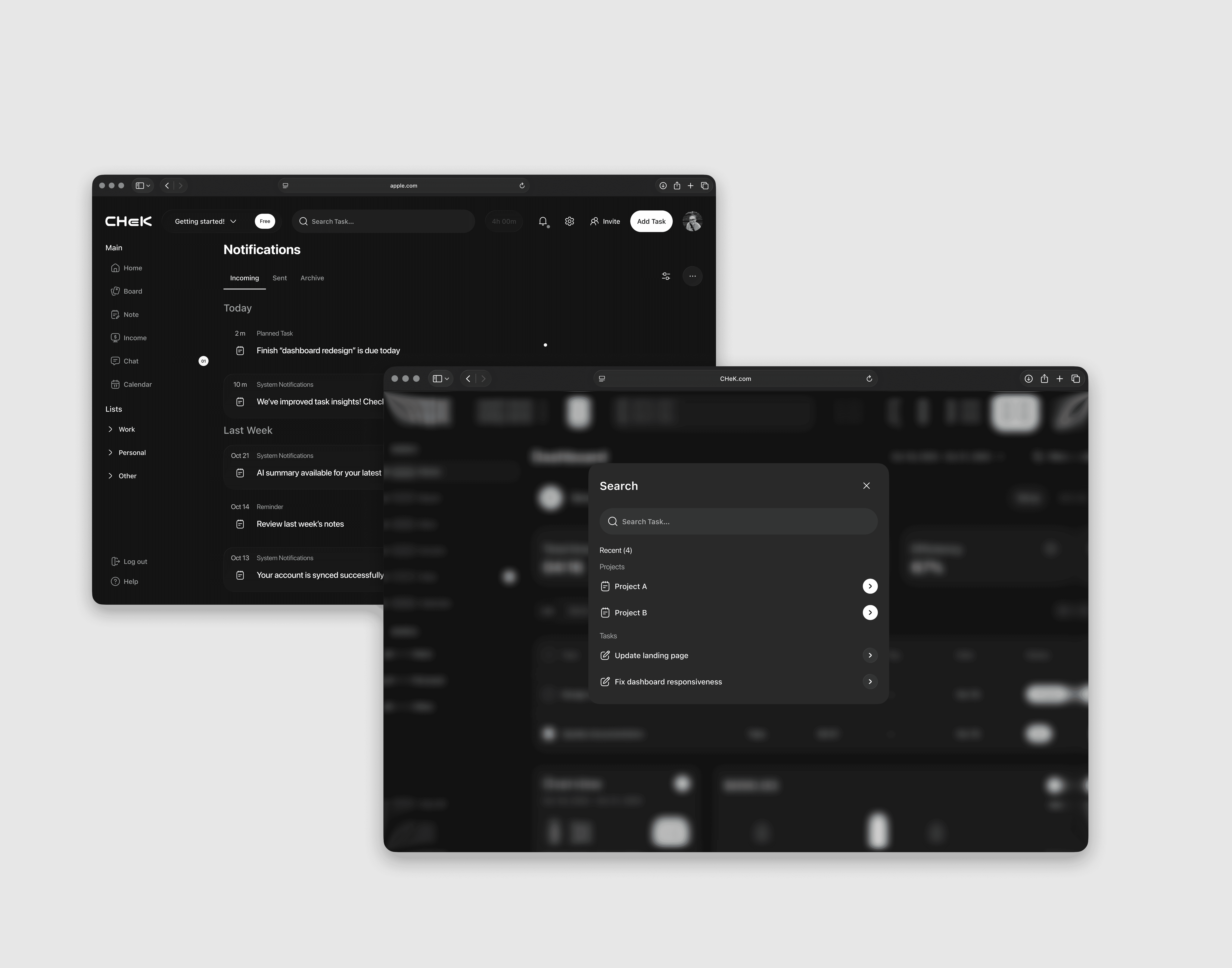
Notifications and Search are also essential. Let’s be real — notifications annoy a lot of people, and some probably don’t even get why they exist. But in the context of this app, where the audience is deliberately building their own system and discipline, they’re a key component. They help you not keep EVERYTHING in your head, and on top of that, they make it easy to find what you need using the main criteria and units created in the app to assist with search.
Technical Implementation WAS
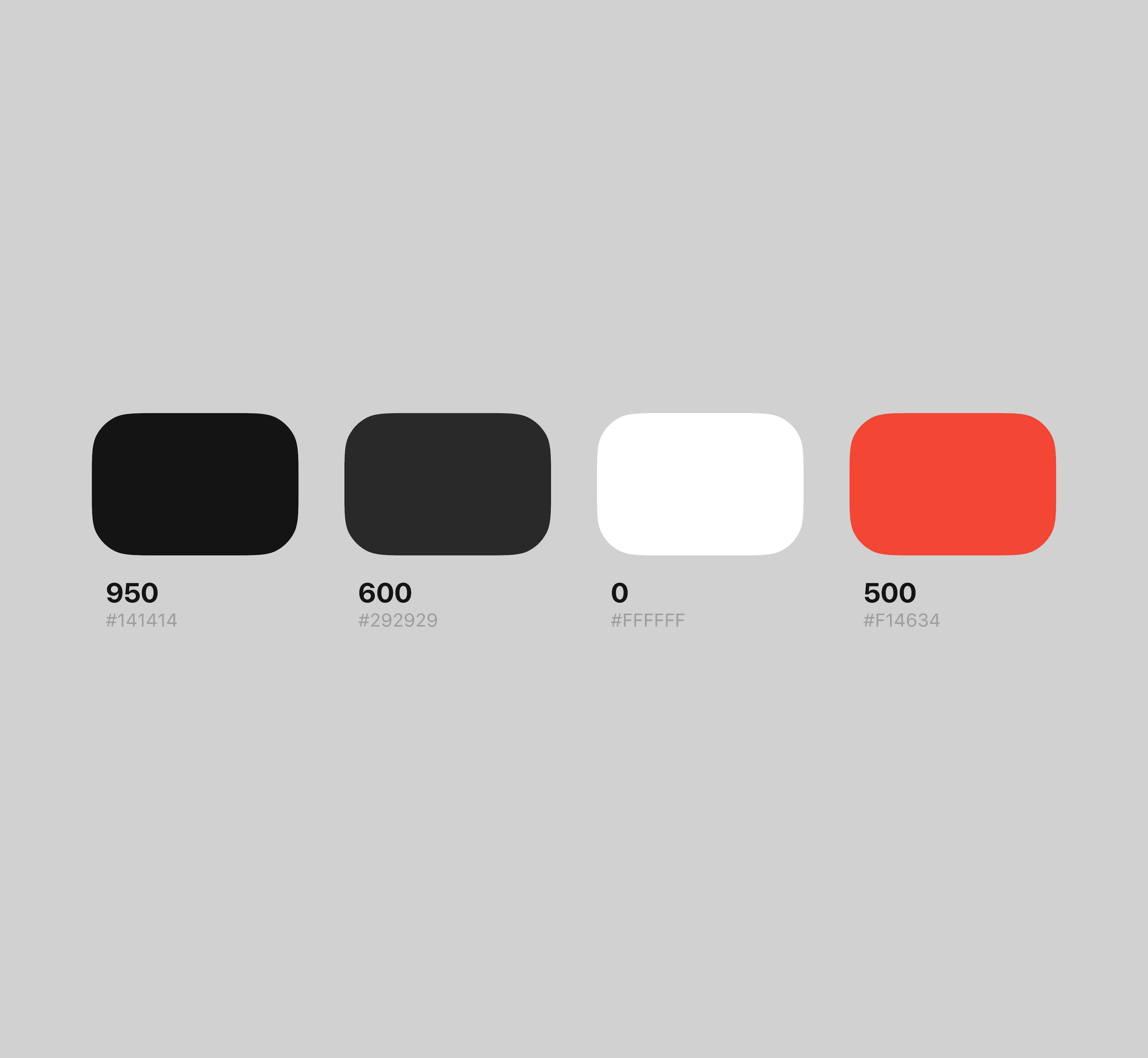
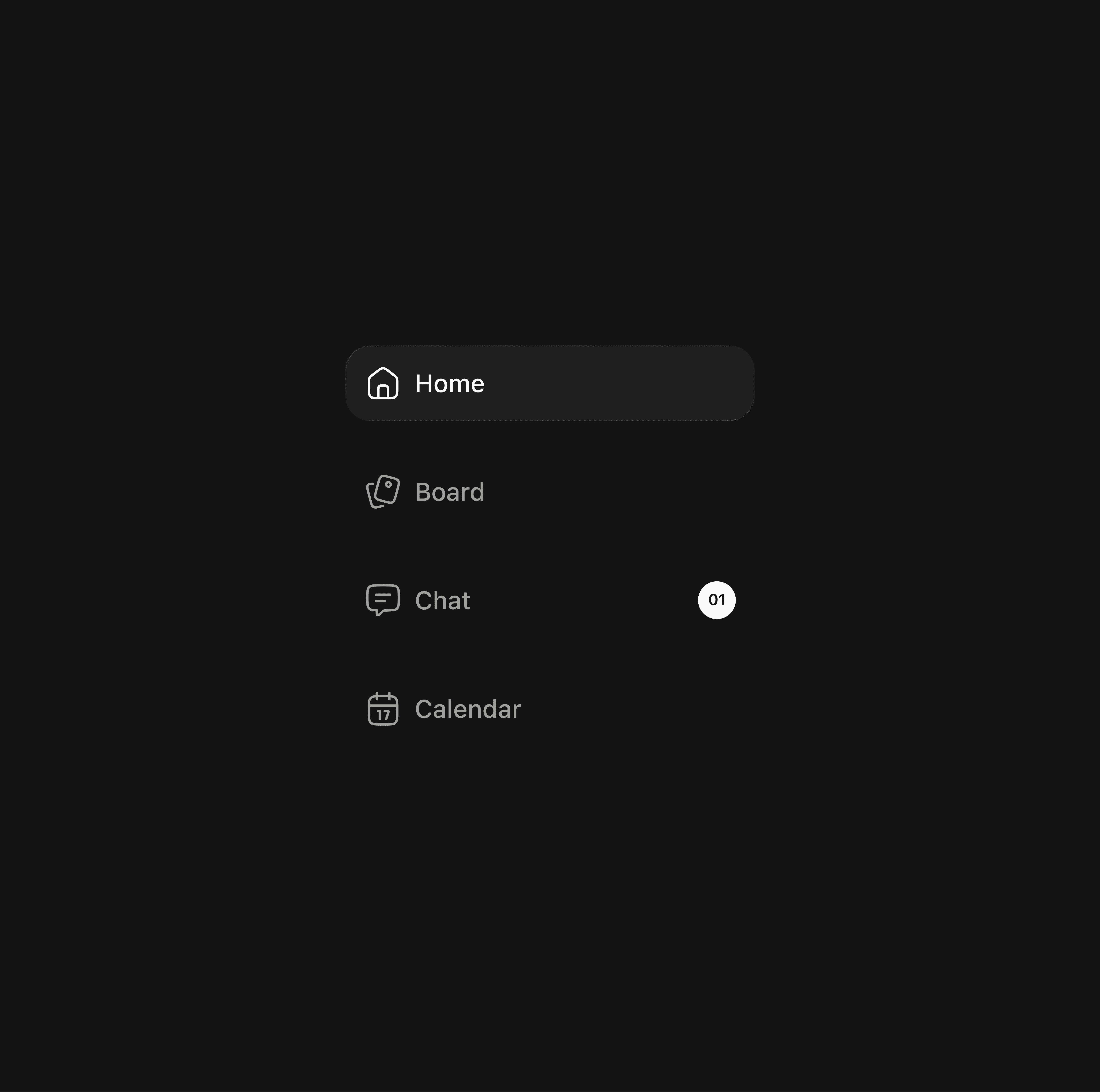
I want to emphasize that for me as a designer, this is definitely one of the most important components affecting both product quality and delivery time. It has to be consistent everywhere: clear structure, branding, and proper execution. Only then can you be confident.

Wrapping Up
The core problem we started with was that task creation takes people (users) a lot of time. BUT it’s necessary for growth and development (in any area). Thanks to deep research, user empathy, and an iterative process, this product was born. One more hypothesis is that a task-setting approach grounded in personality and individuality can become a driver for improvement.